
Basic account settings
How to Connect WhatsApp number to using Wawp QR code?
Please sign out WhatsApp Number which is Active on Web WhatsApp or any place where you logged in to your WhatsApp Account.
When you logged in to your account on 1m.wawp.net, please follow these steps:
Step 1: From the main side menu, choose > Connect WhatsApp QR
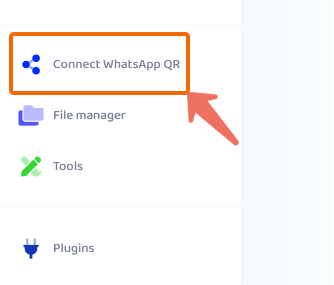
Then click on Add Account button
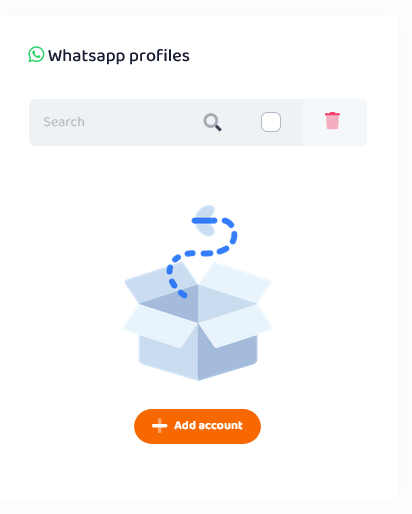
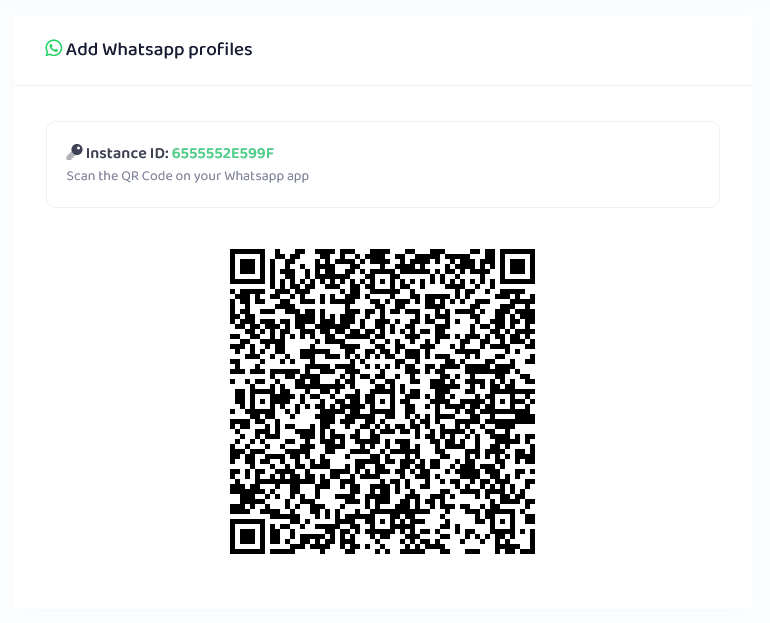
Step 2: Scanning QR code from your Cell Phone
Using your phone & open whatsapp app to scan the QR code > Linked Device
Step 3: You will see your WhatsApp Account on wawp as the picture below:
Keep your phone in front of the QR Code (Don’t Move) and waiting from 5 – 10 seconds
You will see your WhatsApp Account on wawp as the picture below:

Video explanation of the steps
You can watch this quick video for more information about linking your WhatsApp number


